
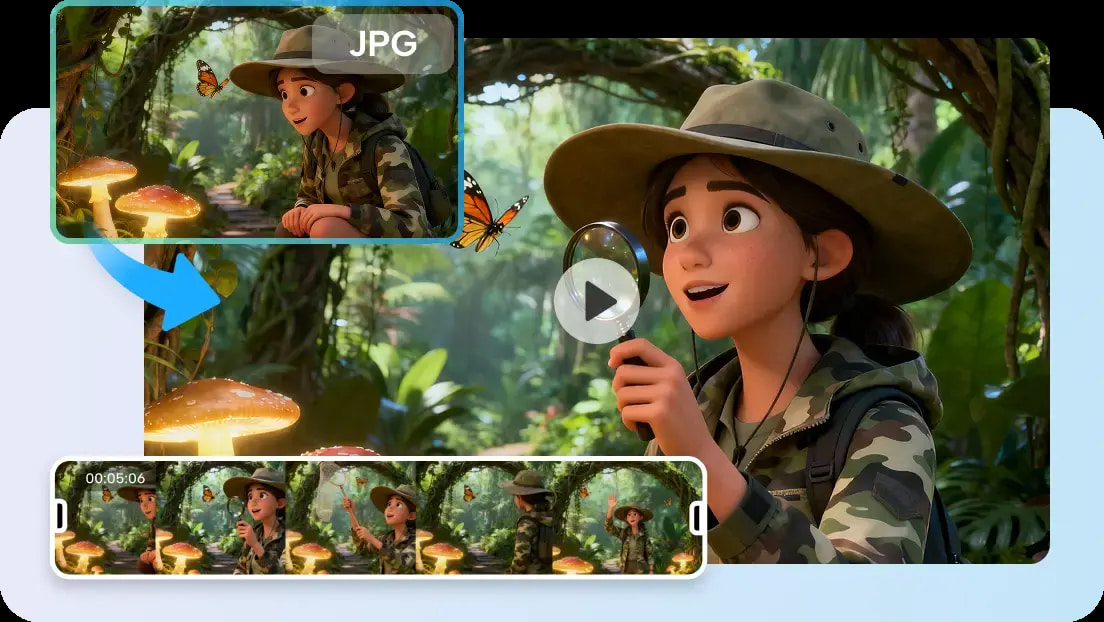
Close-up product images add to brand storytelling via digital media. Product videos are more effective and convey craftsmanship, texture & quality in detail. Pippit’s controlled camera motion, reference-guided generation, and flexible editing capabilities assist creators in generating realistic product-focused videos. Polished presentations with clear prompts, relevant references, and thoughtful refinements can support marketing campaigns, product launches, and promotional content that can be engaging via different channels.
Why Close-Up Product Shots Matter in AI Video Production
Close-ups are useful for emphasising and showcasing product details that may not be visible from a further distance. Close-ups highlight important features of the product, allowing the viewer to see without distractions. Detailed visuals are provided to illustrate materials, textures, finishes, and design quality to make it more visually appealing. Quality sequences of products also boost credibility in ads and online stores. Realistic presentation helps in promotional campaigns as the customers have a better understanding of the product appearance prior to buying. The mini advert clips remain interesting with focused composition and fluid movement. This helps to promote a brand through product images on websites, marketplaces, and social media. By planning carefully, each frame is able to communicate value effectively while keeping the professional visual standards throughout the production process. When planning, set clear goals and leverage AI video generator for better creative guidance.
Planning Product-Focused Videos Before Generation
When product videos are successful, there is careful preparation prior to the video’s generation. Be familiar with the product’s selling points and highlight these in every scene. Use accurate language to describe shape, material, finish, colors, reflections, and movement. If it does impact a buying decision, discuss packaging. Select camera angles that can display the important surfaces and design elements in a natural manner. Identify lighting conditions to be used for the representation of colors without unwanted shadows or glare. Write a script that contains an introduction, a show of the features, an interaction with the product, and a hero presentation. Organized prompts enhance the quality of generation, while minimizing unnecessary revisions. It also helps to streamline workflows in Pippit and helps to maintain a consistent visual narrative in the video. This preparation is beneficial when employing Seedance 2.5 for product scenes in detail.
Steps to Create Close-Up Product Shots Effortlessly with Seedance 2.5
Step 1: Prepare your product video
- Sign up for Pippit using your Google, TikTok, or Facebook account.
- Go to the “More” tab and open “Video generator”.
- Select “Dreamina Seedance 2.5” for product video creation.
- Add a detailed prompt describing product shots, camera angles, lighting, and textures.
- Choose video length, language, subtitles, and aspect ratio.
- Click “+” to upload product images or videos from your device, phone, Dropbox, or a link. You can also select assets.
- Click “Generate” to create your video.
Step 2: Generate product close-ups
- After clicking “Generate”, Pippit creates a product video based on your prompt and references.
- The AI automatically manages transitions, pacing, captions, avatars, voice, lyrics, and visual enhancements.
- Review the draft to check product details and close-up quality.
Step 3: Edit and export your product video
- Click “Download” to save the video, use “Regenerate” for a different version, or select “Edit more” for additional edits.
- Adjust captions, add text, and modify size, color, alignment, filters, and effects.
- Add music, remove backgrounds, and refine product visuals.
- Click “Export” after final edits.
- Choose “Publish” for TikTok, Instagram, or Facebook, or click “Download” to save the video with your preferred format, resolution, frame rate, and quality.
Creating High-Impact Close-Up Product Scenes
Product shots are a mix of technical precision and storytelling. Single-takes are videos that are shot in one continuous take, making for a “natural” demonstration that holds the viewer’s attention. Call the viewers’ attention to the main selling points first, then secondary information. Show interaction of natural products in a natural way, using movement to explain function or use. Make sure that everything is clearly focused so that all the key visual moments can be captured with realistic detail. Smooth reveal sequences introduce packaging, design, materials, and product benefits in a way that doesn’t overwhelm the viewer. Do each of these sequences with a strong hero product frame to brand and make an impact. All scenes developed have a consistent approach in framing, lighting, and pacing, thus giving a professional appearance in the promotion campaign.
Essential Practices for Better Close-Up Product Videos
Use these handy tools on every finished project.
Clearly describe Product Materials: Texture, finish, surface quality. Enhance realistic visual creation.
- Specific Camera Instructions: Zoom & Close Framing. Be able to effectively communicate product information.
- Match product appearance accurately: Use matching reference images and preserve design consistency.
- Demonstrate Colors without Distortion: Enhance the appearance of texture naturally.
- Apply Timestamp Prompts wisely: Control product moments of importance. Set up a scene in an orderly manner.
- Each Generated Draft: Review product information carefully. Clean up graphics prior to export.
Using Seedance 2.5 Features to Enhance Product Visuals
Advanced generation features enhance creative control throughout product production. Timestamp prompts are the method of structuring product unveils by setting vital actions at specific moments. Timings are planned for the demonstrations, which helps to keep the demonstrations structured and improves the flow of scenes. Natural object interaction and believable material motion during demonstrations are achieved through physics-based motion.
Multi-modal reference support is used to keep the appearance, composition, mood, and packaging consistent in longer scenes. Green screen editing is used to change backgrounds after generation, instead of doing a complete sequence again. Background flexibility can be used if a project has multiple campaigns. When they’re not shooting new footage, they’re just adding footage that’s already out there, so you get longer demos without interrupting the visuals with new footage; that’s footage extension. All the editing options Pippit offers within the application are easily combined, allowing fine-tuning before exporting to various marketing formats.
Mistakes That Reduce the Quality of Close-Up Product Shots
Generic prompts are sometimes found to be inconsistent as important product properties are not specified. Unrelated reference images create confusion about visual direction and reduce product consistency throughout the generated scenes. Too many things going on in a composition make it difficult for viewers to see what’s important to sell and make it less effective to promote.
The camera angle might conceal textures, proportions, or practical design elements. Too many filters and effects often make things less clear than they are. Good promotional videos focus on the product, not on superfluous embellishments. Without the final check, there’s a risk of missing out on some lighting, framing, or branding inconsistencies. Inspection prior to export ensures overall quality as well as professional presentation throughout marketing and commercial activities.
Expanding Close-Up Product Videos for Different Marketing Needs
In addition to advertising, detailed product videos can be used to promote a product in a variety of other ways. The excitement of a product launch is created by highlighting craftsmanship and premium design. E-commerce product showcases help to increase customer understanding by showcasing realism and providing detailed close-up images.
Short-form social media videos easily grab attention and convey key product information. It’s great for promotional advertising campaigns since there is a visual consistency of branding through various distribution channels. Packaging, textures, finishes and application details are effectively displayed in beauty & cosmetic presentations. Realistic lighting, natural movement and authentic presentation make food, beverage and lifestyle products more appealing. Pippit’s flexible editing allows for the variation of a single product idea into several campaign versions, all with a consistent look and feel across all published formats.
Conclusion
Close-up product videos can enhance the promotional narrative by showcasing the product’s quality, craftsmanship, and design in detail. When thoughtful planning, accurate references, structured times and careful editing all come together, polished marketing assets are created for a variety of marketing campaigns. The continuity of refinement enhances the visual precision and the realism of textures, lighting, and product presentation. By making sure to carefully review the video before exporting, you can ensure that every completed video will produce professional results, whether it is for social media, product pages, ads, or marketing channels in general.
