
Video creation used to be complicated. You needed editing skills, expensive software, and a lot of time just to turn a rough idea into something watchable. Now that is changing fast. With AI video to video tools, beginners can transform existing footage into new visual styles, moods, and formats without starting from scratch. What once felt technical and out of reach is becoming much more accessible.
What Is AI Video to Video?
AI video to video refers to technology that takes an existing video as the input and uses artificial intelligence to transform it into a different visual output.
Instead of generating a video from nothing, the AI works with source footage you already have. It can change the style, enhance quality, alter backgrounds, adjust motion aesthetics, or give the clip a completely different visual identity.
A common example is video style transfer AI, where the system applies a new artistic or cinematic look to a video while preserving the original movement and structure. For example, a simple walking clip might be transformed into an anime-inspired scene, a painterly sequence, or a high-fashion editorial look.
That is why this technology is so exciting. It lowers the barrier to creative video production.
Popular Uses of AI Video to Video
Once you understand the concept, the use cases become obvious.
Social Media Content
Short-form platforms reward visuals that stand out fast. AI video to video can help creators turn ordinary clips into stylized content that feels more scroll-stopping on TikTok, Instagram Reels, and YouTube Shorts.
Marketing and Brand Content
Brands can use video style transfer AI to create campaign videos with a more distinct visual identity. This is useful for product promotions, mood-based storytelling, or creative ad variations.
Music and Art Projects
Artists and musicians often use AI-transformed video to match a certain aesthetic. This can help make lyric videos, visualizers, or promotional clips feel more original.
Repurposing Existing Footage
If you already have a library of raw video, AI can help you give it a second life. Instead of refilming, you can transform what you already have into something new.
Tools Beginners Can Explore
The best tool depends on your goals. Some platforms focus on stylization, while others emphasize enhancement, animation, or cinematic transformation.
When choosing an AI video to video tool, beginners should look for:
- an easy-to-use interface
- fast rendering times
- flexible style options
- good output quality
- clear export settings
- beginner-friendly pricing
The most important thing is not finding the most advanced tool. It is finding one that helps you learn quickly and experiment without feeling overwhelmed. If you want to transform your videos into different styles without getting buried in a complicated workflow, Pollo AI is worth a try.
It offers a simple way to turn regular footage into stylized video content, which can be especially useful for creators, marketers, and brands that need visual variety fast. If your goal is to produce more engaging videos without spending hours on manual effects, Pollo AI can be a practical tool to test in your workflow.
Adapt AI Image Into Your Workflow
Video and image creation workflows are increasingly connected. Many creators use AI image tools to develop visual concepts before moving into video production. For example, you might create a character look, scene style, or mood board as an image first, then use that direction when working with video style transfer AI.
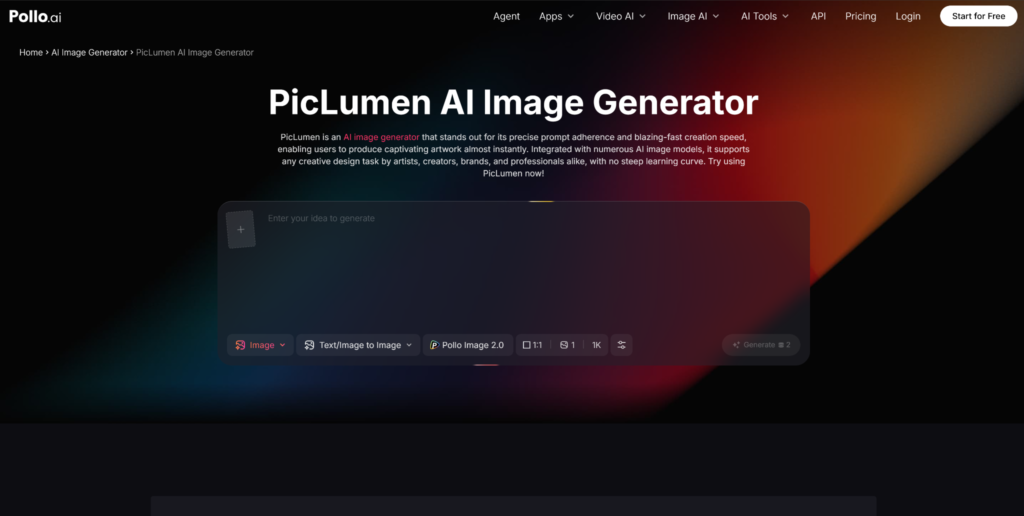
If you want a simple option for AI image creation, PicLumen AI is worth checking out. It is a practical tool for generating visuals quickly, especially if you need inspiration, concept images, or creative assets to support your video projects.
Tips for Getting Better Results With AI Video to Video
The tool matters, but your input matters just as much. Beginners often assume the AI will fix everything automatically. In reality, better source material usually leads to better output.
Start With Clear Footage
Use stable, well-lit video whenever possible. If the original footage is blurry, shaky, or too dark, the AI may struggle to preserve details cleanly.
Choose Styles That Match the Motion
Some styles work better with certain footage than others. Fast action scenes, close-up portraits, and landscape shots may all respond differently to the same transformation style.
Test More Than One Version
Do not stop at the first result. Try different prompts, settings, or visual directions. AI creative work often improves through iteration.
Pay Attention to Consistency
One challenge with AI video to video is maintaining visual consistency across frames. If a result flickers too much or feels unstable, simplify the style or use cleaner source footage.
Best Practices for Beginners
If you are just getting started, these habits will save you time and frustration.
Focus on One Goal Per Project
Do you want a cinematic look, an animated feel, or a surreal transformation? Be clear about the outcome before you begin.
Do Not Overcomplicate the Prompt
If your tool uses prompts, keep them specific but simple. Too many conflicting ideas can lead to messy results.
Learn by Comparing Outputs
Run the same clip through different styles and settings. This is one of the fastest ways to understand what works.
Keep the Audience in Mind
A cool effect is not enough on its own. Think about where the video will be used and what kind of visual style fits that platform or purpose.
Final Thoughts
AI video to video is making creative video production more approachable for beginners. You no longer need deep editing expertise to transform footage into something fresh, stylized, and visually interesting.
The key is to start simple, use good source material, and experiment patiently. As you learn how different styles, prompts, and tools behave, your results will improve quickly.
And if you are building a broader creative workflow, do not overlook AI image tools either. A platform like PicLumen AI can help you develop visual ideas before you move into video, making the whole process smoother and more intentional.
For beginners, that is the real opportunity here: not just using AI to create faster, but using it to create with more freedom.
